
Whole House Surge Protector Cost: 2026 Install Prices
A thunderstorm rolls through at night. The lights flicker once, and everything seems fine. In the morning, the router will not start. The microwave display is blank, and the garage door opener only clicks. Nothing looks burned, yet three devices are dead.
Power surges cause damage like this, and they do not need a direct lightning strike. A grid switch, a downed line, or a heavy appliance cycling can send a spike through your wiring. A whole-house device sits at the panel and takes the first hit for every circuit.
This guide explains the whole house surge protector cost in 2026. You will see prices by type, labor and permit costs, and panel upgrade costs. You will also see lifespan claims and code rules. A short test helps you judge whether the device is worth buying.
Each figure comes from a named source with its date, and the sources disagree in places. Use the ranges to test a bid before you hire anyone.
Quick Answer: The whole house surge protector cost averages about $300 in HomeAdvisor’s June 2026 guide. Its range is $70 to $700. Labor adds about $150 to $200 for a two-hour job, according to HomeServe. Electricians charge $50 to $100 per hour. Permits, inspections, and panel work can raise the total.
How Much Is the Whole House Surge Protector Cost?
Published numbers cluster around the same range. HomeAdvisor reports a $300 average and a $70 to $700 range. HomeServe lists the same range for the unit alone and cites Family Handyman.
Bob Vila (January 2023) lists a similar band, so the three guides may share a common origin. HomeAdvisor’s page uses that range for installation in one place and for the unit alone in another. It does not say which applies. Ask each bidder for the unit price and the labor price as separate lines.
For wider electrical pricing, read our electrical repair cost guide .
Cost by Surge Protector Type
Type decides placement and protection level. HomeAdvisor lists unit costs for each type. HomeServe adds a Type 3 range for plug-in strips.
| Type | Where It Goes | Unit Cost |
|---|---|---|
| Type 1 | Line side of the main panel, before the main breaker | $50 to $250 |
| Type 2 | Breaker box or a single circuit | $50 to $250 |
| Type 3 | Plug-in strip at one outlet | $10 to $25 |
HomeServe lists Type 3 wall units at $20 to $30. Type 3 devices need no electrician. HomeAdvisor says Type 2 installation costs the same as Type 1 when mounted on the main breaker box.
Labor and Installation Time
Labor can account for half of the bill. HomeAdvisor says a typical job takes a couple of hours or less. HomeServe lists total labor of $150 to $200 for about two hours.
Hourly rates matter if the job runs long. HomeAdvisor lists electricians at $50 to $100 per hour. Angi lists $50 to $130, and This Old House lists $40 to $120. Our electrician cost per hour guide explains minimums and call fees.
Panel access changes the time. A clean, uncluttered panel with a free breaker slot is quick. A crowded or damaged panel takes longer.
Permits and Inspections
Many areas require a permit for panel-mounted devices. HomeAdvisor lists permits at $10 to $500 on average and inspections at $100 to $400. It advises checking with your local building authority.
Your electrician usually handles the permit and schedules the inspection. Ask whether the quote includes both. Our electrical inspection cost guide explains what an inspection covers.
Keep the final approval with your records. Insurers or buyers may ask for proof that a licensed professional installed the device.
When a Panel Upgrade Gets Added
Some homes cannot take a surge protector without panel work. A full panel, a damaged panel, or an old panel may need replacement first. HomeAdvisor lists a 100-amp panel at $500 to $1,500 and a 200-amp panel at $750 to $2,000.
Other guides list higher panel prices. See our electrical panel replacement cost guide and 200 amp service upgrade cost guide . HomeAdvisor says panels last 25 to 40 years.
Ask your electrician to inspect the panel before you buy a unit. A good device on a bad panel is a poor investment. Our circuit breaker replacement cost guide covers a related repair.
How a Whole House Surge Protector Works
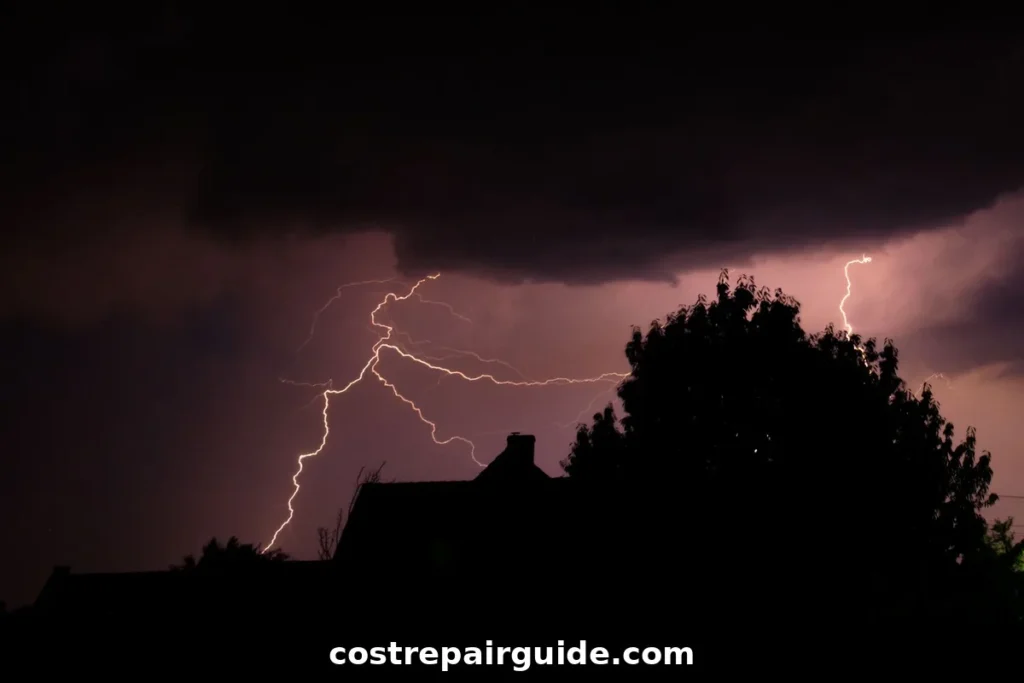
The device absorbs or redirects a surge into the ground before it reaches your wiring. HomeServe says it is not foolproof. A direct lightning strike can be too powerful for some units.
Two ratings matter. The kA rating shows how much surge current the device can handle. HomeAdvisor lists ratings from 10 kA to 100 kA or more and suggests most homeowners choose at least 30 kA. The joule rating shows absorbed energy.
A whole-house unit works best with other layers. HomeServe says it pairs well with wall outlet protectors or a meter protector. Think of it as the first line, with plug-in strips as the second.
What the Electrical Code Says
Code now treats surge protection as a standard feature. Schneider Electric (March 2023) says NEC 230.67 requires surge protection for dwelling unit services. The 2020 NEC added that rule, and the 2023 edition expanded it to more building types.
The company says a Type 1 or Type 2 device qualifies. It needs at least a 10 kA rating. Local adoption varies by state and city. Ask your electrician which code edition your area enforces.
Existing homes are usually not forced to retrofit. Many owners add a device after a bad storm or an appliance loss. Our whole house rewiring cost guide covers a larger project where surge protection often comes up.
How Long Does a Surge Protector Last?
Lifespan claims disagree. HomeAdvisor says most units last two to three years in one answer. Another answer says three to five years. HomeServe says to replace them every five to 10 years.
A big surge can shorten the life of any device. HomeServe says to replace it after a major event such as a nearby lightning strike or downed power lines. Check the indicator light on each visit.
HomeServe lists these signs of failure:
- A red or burned-out indicator light
- Tripping breakers
- Visible damage, such as melted outlets
Ask your electrician about the warranty and the replacement schedule. Our emergency electrician cost guide explains what to do if a surge causes a burning smell.
Where the Device Is Installed
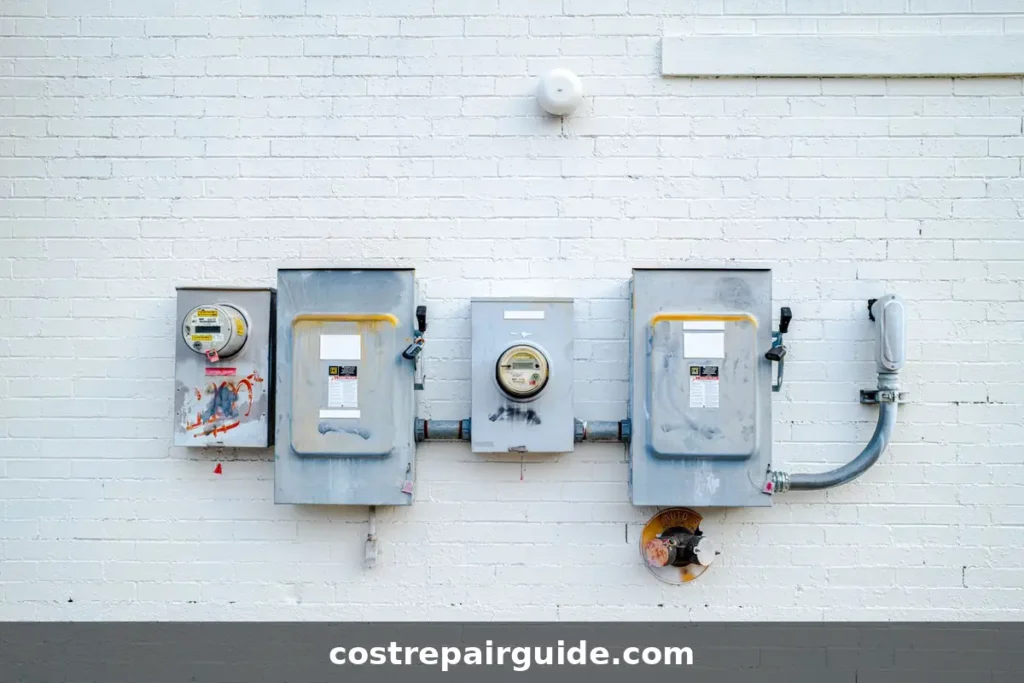
Most whole-house devices mount at or beside the main panel. A Type 1 unit goes on the line side, ahead of the main breaker, according to HomeAdvisor. A Type 2 unit mounts on the breaker box or on a single circuit.
Short wire runs help performance. Electricians keep leads short and tight. A free breaker slot may be needed, so a full panel can complicate the job.
HomeServe also mentions meter protectors, which sit at the utility meter. Ask your electrician whether one makes sense for your service.
What Causes Power Surges
Lightning is the famous cause, but it is not the only one. HomeServe lists nearby lightning strikes and downed power lines as major events. Utility switching and grid faults can also send spikes into a home.
Some surges start inside the house. Large motors and compressors can create small spikes when they start and stop. Those small events may wear electronics down over time.
You cannot predict most surges. That is the case for a protective device at the panel.
Signs You May Need Protection
Look for patterns. Several electronics failing after a storm is a clue. So are flickering lights, blown power supplies, and appliances that die early.
A history of storm damage nearby also matters. Homes with costly electronics have more to lose. If you are weighing your whole house surge protector cost against past losses, list what failed and what it cost.
Ask an electrician to check the grounding and the panel. A device works best on a well-grounded system. Our aluminum wiring repair cost guide and knob and tube wiring replacement cost guide cover older wiring issues.

Warranties and Connected-Equipment Promises
Some makers offer a connected-equipment warranty. The terms differ. Many require proof of professional installation and a registered product.
Read the fine print. Ask what damage is covered and what the claim process looks like. A promise that sounds generous may exclude common events.
Keep the receipt, the model number, and the installer’s invoice. HomeAdvisor says DIY installation can void the warranty, so paperwork matters.
Checklist Before You Book
Use this checklist to compare bids on equal terms. A low number may leave out a line.
| Item | What to Confirm |
|---|---|
| Type and kA rating | Both bids use the same type and rating |
| Unit and labor | Priced as separate lines |
| Permit and inspection | Included or listed as extra |
| Panel condition | Electrician checked for space and corrosion |
| Warranty | Terms and claim process in writing |
Each bid is easier to judge when every line matches. Ask each bidder to fill in the same table.
Cost Examples With Permits and Panel Work
Real projects stack costs. The table combines sourced ranges from HomeAdvisor and HomeServe. It is an illustration, not a quote.
| Scenario | What It Includes | Estimated Range |
|---|---|---|
| Unit and labor only | Unit $50 to $250 plus labor $150 to $200 | $200 to $450 |
| Add permit and inspection | Adds $10 to $500 and $100 to $400 | $310 to $1,350 |
| Add 200-amp panel | Adds $750 to $2,000 | $1,060 to $3,350 |
Most homes land in the first two rows. The total will rise if the panel needs work. Ask for each line separately.
Is a Whole House Surge Protector Worth It?
It depends on what you want to protect. HomeServe says the one-time cost is often lower than replacing a single appliance. Homes with expensive electronics, medical devices, or home offices have more to lose.
Insurance may help. HomeAdvisor and HomeServe both say a device may lower premiums if you tell your insurer. Ask your agent before you count on a discount.
HomeAdvisor says it is not a major value-adding upgrade for resale. Treat it as protection, not an investment. Our EV charger installation cost guide covers another load that benefits from protection.
Whole House Surge Protector Near Me: Hiring a Pro
Hire a licensed, insured electrician with local experience. HomeServe says whole-home units need professional installation. Get at least three written quotes.
Ask these questions before you sign:
- Which type and kA rating will you install?
- Does the quote include the permit and inspection?
- Is the panel in good condition for this device?
- What does the warranty cover?
- How will I know when the device needs replacing?
A written scope prevents disputes. Make sure each bid covers the same type and rating.
Can You Install a Whole House Surge Protector Yourself?
Not safely. HomeAdvisor advises against DIY work because it can void the warranty and jeopardize an insurance claim. The work happens inside the panel, where live parts remain.
The risk is real. The U.S. Fire Administration counted 23,700 residential building fires from electrical malfunctions in 2023. Not every case involves panels, but poor work causes trouble.
You can still help. Clear access to the panel, note any tripping breakers, and gather appliance receipts. Those steps save time and support insurance claims.
What to Expect on Installation Day
Most jobs are short, and HomeAdvisor puts a typical visit at two hours or fewer. The electrician shuts off power at the main, mounts the device, connects the leads, and restores power.
Expect a brief outage. Reset clocks and check sensitive electronics afterward. The electrician should test the unit and show you the indicator light.
If a permit applies, an inspector may visit later. Keep the final sign-off. It protects you if an insurer asks questions.
Common Mistakes to Avoid
A few errors lead to wasted money. Avoid these:
- Buying on price alone without checking the kA rating
- Installing on a damaged or overcrowded panel
- Skipping the permit and failing a later inspection
- Forgetting to register the warranty
- Treating plug-in strips as a full replacement
- Ignoring the indicator light after a storm
A careful first install costs less than a repeat. Photograph the panel before and after the work.
Annual Checks and Maintenance
Maintenance is a small part of lifetime whole house surge protector cost. A surge device wears out quietly. Check the indicator light every few months and after every major storm. HomeServe says an electrician can check the system during an annual electrical inspection.
Pair that visit with a panel check. Look for loose breakers, rust, and warm spots. Ask the electrician to note the date on the device. Write the replacement window on your calendar.
Plug-In Strips and Outlet Protection
Plug-in strips still have a role. They protect sensitive devices from small spikes that pass the main panel. Use them for computers, TVs, and routers.
Quality varies. Check for a joule rating and an indicator light. Replace strips after a major surge. Also consider upgraded outlets in key rooms. See our outlet replacement cost guide and GFCI outlet installation cost guide .
Outlet protection does not replace a whole-house device. The layers work together. Storms can also cut power for days, so some owners also price our whole house generator installation cost guide .
How to Save Money on Installation
Small decisions keep the total down. Use these steps before you book.
- Get at least three quotes from licensed electricians.
- Discuss type, brand, and surge capacity first.
- Bundle the job with other electrical upgrades.
- Check your insurance policy for discounts.
- Look for manufacturer rebates and review warranties.
Bundling is the best saving. A panel visit can cover a surge device, a new breaker, and a charger circuit in one trip.
Frequently Asked Questions
A Note on How to Read These Numbers
Surge protector pricing is consistent on paper but murky underneath. HomeAdvisor, HomeServe, and Bob Vila all list a $70 to $700 range and a $300 average. That suggests a shared origin. HomeServe credits Family Handyman for its figures.
HomeAdvisor’s page does not say whether that range covers the unit or the installation. An earlier version we read listed a $500 average, so the guide changes over time. Lifespan claims run from two years to ten. Bob Vila is dated 2023 and Schneider Electric is a vendor blog. This site does not refer contractors, so we have no reason to nudge numbers up or down. Get several local written quotes.
Final Thoughts
A typical whole house surge protector cost sits near $300, though bids stretch widely. Installed totals often land between $200 and $450 before permits. Panel work can raise them.
The key takeaway is that the device is cheap compared with what it protects. A single dead appliance can cost more than the unit and labor. The weak spot is the panel, since an old or crowded one can add thousands to the project.
Your next step is to have a licensed electrician inspect the panel and name a type and kA rating. Ask for separate lines for the unit, labor, permit, inspection, and any panel work. Then compare three written bids.
Add plug-in strips for sensitive electronics, and check with your insurer about a discount. Those two steps cost little and strengthen the plan. Keep the receipts together in one folder.
Which devices in your home would hurt most to lose in the next storm?
Related Electrical Cost Guides
Keep planning your project with these related electrical cost guides from our library.